Teleport Trigger Fade
- ダウンロード商品¥ 190
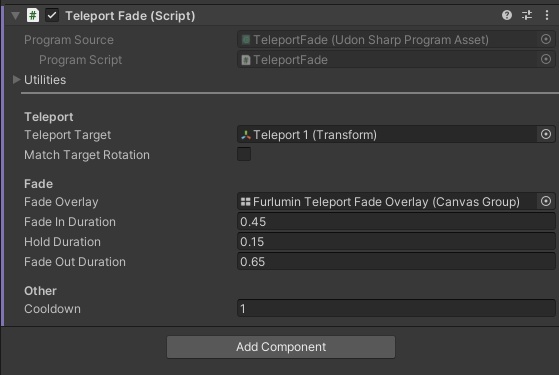
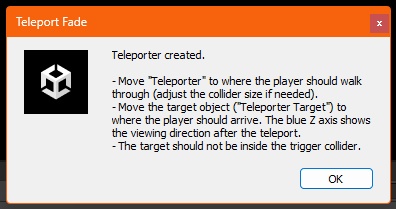
Teleport Fade - Smooth Fade-to-Black Teleporter for VRChat Worlds (UdonSharp) Walk into a trigger, the screen fades to black, you are teleported, and the view fades back in. The player never sees the jump. Set up in a minute with the included menu tool. [Features] - Trigger teleport: the local player who walks into the trigger is teleported to a target. Other players are not affected. - Smooth fade: fade-in, hold and fade-out times are all adjustable. - Viewing direction: after the teleport the player looks along the target's Z axis, or keeps the old viewing direction. - Fade follows the head: the black overlay sits in front of the player's eyes and scales with the avatar's eye height, so it also covers very small and very large avatars. - One shared overlay for all teleporters in a scene. - Cooldown per teleporter. - Start from anywhere: call StartTeleport() from a button or any other script. - Safe defaults: without an overlay it teleports instantly (with a log warning), without a target it logs an error and does nothing. - No synced variables. Everything runs on the client of the player who walks in. [Setup tool] Menu: Nyrex Systems > Teleport Fade > Teleport Fade Setup - Create New Teleporter: creates a ready-made teleporter with a trigger, a target object and the fade overlay (if the scene has none yet). - Set Up Selected Objects: turns the objects you selected into teleporters (Is Trigger, script, overlay and target are set up for you). Already set fields are never overwritten, so it is safe to run again. Everything supports Undo (Ctrl+Z). [Included] - TeleportFade.cs (UdonSharp script) and its program asset - Editor/TeleportFadeSetup.cs (setup tool) - README.md (setup, inspector reference, troubleshooting) [Requirements] - VRChat Worlds SDK with UdonSharp - Unity version supported by the current VRChat Worlds SDK [Inspector] Teleport Target, Match Target Rotation, Fade Overlay, Fade In Duration, Hold Duration, Fade Out Duration, Cooldown. The Inspector is in English and every field has a tooltip with its default.
Terms of Service
You may use this product in your own VRChat worlds, both non-commercial and commercial (for example paid or monetized worlds). You may modify the scripts for your own projects. You may NOT: - Redistribute, resell, share or upload the original or modified files (including the scripts) to any other place, either free or paid. - Claim this product or its scripts as your own work.
Update information
v1.0.0 (2026-10-09) - Initial release